
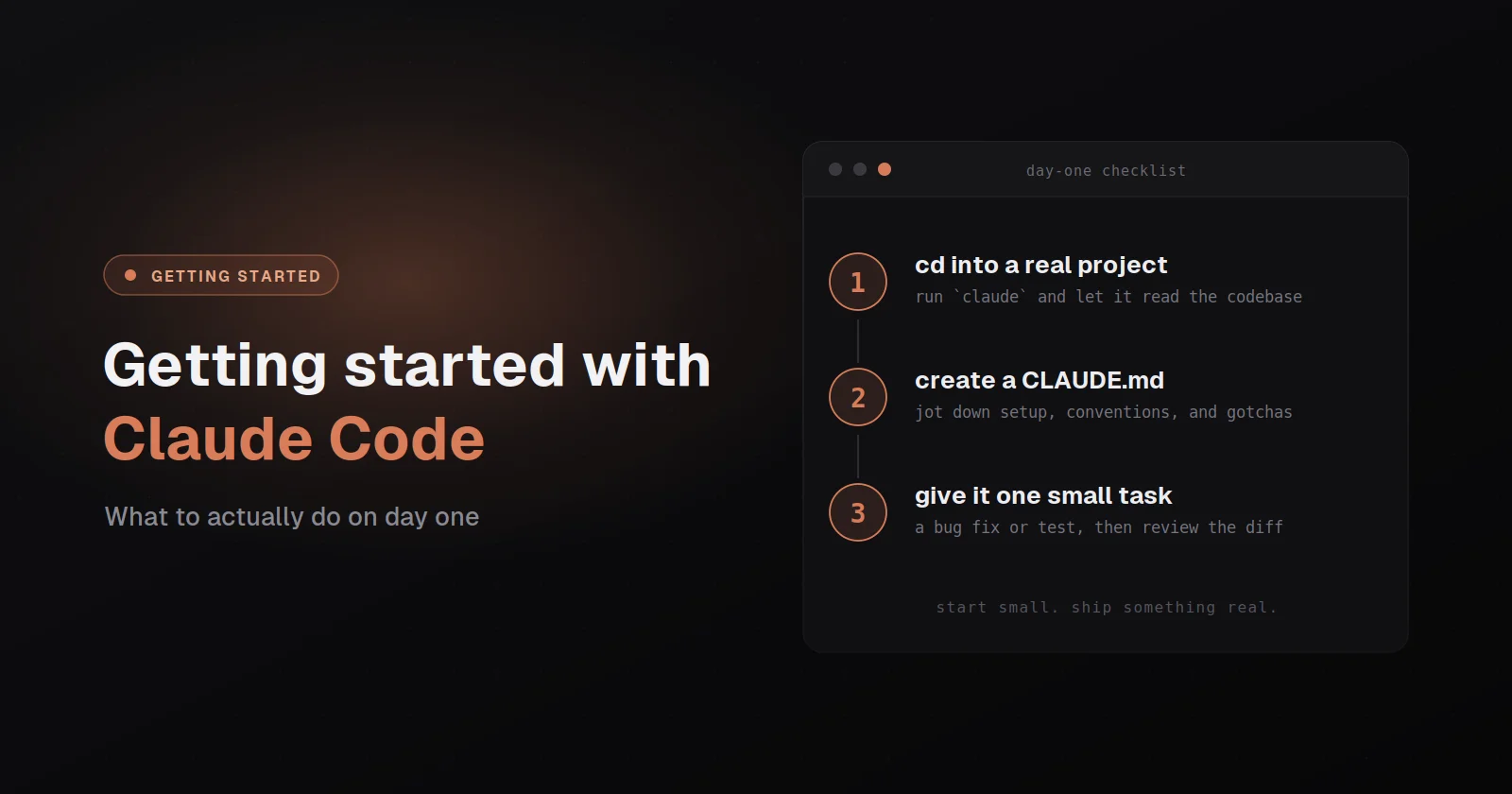
Getting started with Claude Code is genuinely easier than getting started with most developer tools, where the install is a single command and you're in a working session within five minutes of typing it. That ease is part of what makes the tool good, but it's also part of what makes most new users start poorly, because the absolute basics are so frictionless that people skip past the things they actually need to set up and end up with a workflow that feels fine on day one and quietly limits them on day thirty. This guide is the first day I'd want someone to have if I were sitting next to them, and it covers the parts that aren't in the install docs but matter more than the install docs do.
I want to be clear up front about who this is for. If you're a developer who's used CLI tools for years and just wants the install command, the official docs at code.claude.com/docs are faster than this post and you should go there. This guide is for the person who's heard that Claude Code changes how building works, has decided to actually try it, and wants to start in a way that doesn't have to be unlearned later. The thing I keep watching happen is that new users adopt the tool, get good early results on small tasks, and then plateau because nobody told them which habits to build from the start. That plateau is avoidable, and avoiding it is what this is about.
Why the first day matters more than it sounds
The reason day one matters is that the patterns you set in your first week of using Claude Code become the patterns you use for the next year, because the tool is flexible enough that there's no single right way to use it and the way you happen to start tends to stick. If you start by treating it as a faster autocomplete that you ping with one-line questions, you'll keep doing that, and you'll get one-line value out of a tool that can do much more. If you start by treating it as a collaborator that needs context about your project and your goals, you'll keep doing that, and the depth you build into those early sessions pays off across every project you ever start.
The other reason day one matters is that Claude Code has surface area most new users don't discover for weeks or months on their own, things like plan mode, CLAUDE.md, hooks, custom skills, subagents, and the parallel tool-call architecture, and the cost of discovering them on month three is that you spent two months working harder than you needed to. None of these are advanced features in the sense that they're hard to use, they're just features that don't surface themselves loudly in the default flow, and a first day that introduces them sets you up to use the tool the way it was actually built rather than the way it looks on first glance.
What to install and what to skip
Claude Code ships through several install paths, and the right one depends on your platform and how much you care about auto-updates. The path Anthropic recommends, and the one I'd recommend on day one, is the native installer, which is a single curl or PowerShell line that downloads a self-updating binary directly from Anthropic. On macOS, Linux, or WSL that's curl -fsSL https://claude.ai/install.sh | bash. On Windows PowerShell it's irm https://claude.ai/install.ps1 | iex. Both put the claude binary on your path and quietly update themselves in the background so you stay on the latest version without thinking about it. The full setup reference with every alternate path lives at code.claude.com/docs/en/setup and is worth a glance before you install.
The other supported paths matter mainly if you have a preference for how your developer tools get managed. Homebrew with brew install --cask claude-code works on macOS and Linux. WinGet with winget install Anthropic.ClaudeCode works on Windows. npm with npm install -g @anthropic-ai/claude-code still works and installs the same native binary if you'd rather keep everything in npm. There are also apt, dnf, and apk packages for the major Linux distros. None of these auto-update the way the native installer does, so if you go one of these routes you'll want to remember to run the upgrade command every few weeks rather than assuming you're on the latest version.
The Windows story is genuinely fine now and doesn't require WSL the way it used to, where you can install Claude Code directly under PowerShell or CMD and run it natively against your project files. The one piece of advice worth taking on Windows is to install Git for Windows first, because the tool uses Bash for shell commands by default and Git for Windows ships the Bash environment it needs. Without it the tool falls back to PowerShell as the shell, which works but produces enough edge cases that the Git for Windows path is the smoother default. If you'd rather work entirely inside a Linux shell, WSL2 is still a clean option and the native installer works there too.
Once claude is on your path, run it once in any directory and let it walk you through authentication, which opens a browser, asks you to sign in to your Anthropic account, and writes a credential file locally. After that you're in a working session and you can quit out by typing /exit, pressing Ctrl+D, or just typing exit. Don't do anything else on the install side yet. Specifically, don't go install half the optional MCP servers or write a custom slash command before you've used the tool, because every additional piece of configuration before you understand the defaults makes it harder to tell what's the tool's behavior and what's something you added. Start clean.
The one thing worth doing right away is creating a working directory you'll use for your first few sessions, somewhere like ~/code/claude-code-test, because Claude Code is fundamentally a tool that operates on a directory of files and the default behavior makes much more sense when there's a real project around it. Even an empty directory is fine for the first session, because the tool will happily start a new project there. What you want to avoid is running it in your home directory or in a folder cluttered with unrelated files, because that confuses the tool about what's in scope and gives you noisier results than you'd otherwise see.
The first real session: how to think about the conversation
The biggest single thing that determines whether someone gets value out of Claude Code in their first hour is whether they treat the session as a conversation about a project or as a one-shot question. The default mental model most new users bring is the one they have from ChatGPT or any other chatbot, where you type a question, get an answer, and either accept it or try again. That model is fine for tools designed around it, but it dramatically undersells what Claude Code can do, because the tool is built around a multi-turn loop where it reads your files, makes changes, asks you to look at results, and keeps going until the thing you wanted is actually done.
The practical version of this is that your first prompt in a session should usually be longer than your instinct says it should be, where you tell the tool what you're trying to build, what's already in the directory if anything is, what your constraints are, and what done looks like, rather than just typing the one line that's currently in your head. That feels excessive on the first try, but every minute you spend on context at the start saves five minutes of back-and-forth later, and the tool genuinely does its best work when it understands what you're trying to do rather than guessing from a single sentence.
The other thing worth knowing is that Claude Code has a mode called plan mode that you toggle by pressing shift+tab in the prompt to cycle through permission modes, where the tool will plan out what it's going to do before it touches any files and ask you to approve the plan first. For anything beyond a tiny change this is the right default, because the cost of approving a plan before execution is roughly zero and the cost of letting the tool spend ten minutes on a wrong approach is real. Plan mode is one of those features that doesn't surface itself loudly enough on first use, and people who don't discover it for weeks tend to look back at their early sessions with some regret. The official reference on this and the other permission modes is worth skimming once you've felt the value of the default, because there's also an auto mode that lets the tool run unattended through routine work and a few other variations that change the friction profile of a session.
The third thing worth knowing on day one is that you can clear the conversation with /clear when the context has drifted, which is almost always the right move when a session has been going for an hour and the tool seems confused about what it's currently doing. New users tend to power through long degraded sessions because they don't want to lose context, but the context is usually the problem at that point, and starting fresh with a clean prompt that summarizes where you are produces better results than continuing to argue with a session that's lost the thread. There's also /rewind (or pressing Esc twice) for moments where you want to undo the last few turns rather than wipe the whole session, which is useful when the tool has gone in a wrong direction and you want to back up to a known good state without losing everything before it.
CLAUDE.md: the file that does the most work
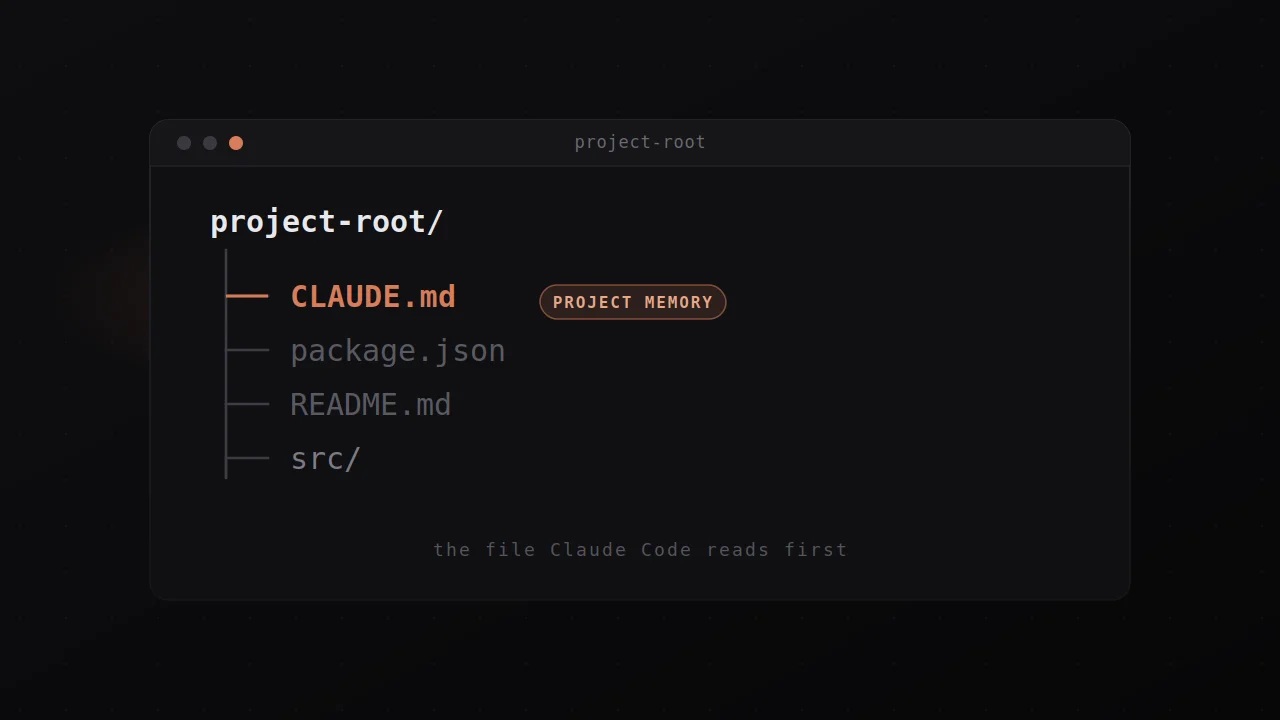
The single highest-leverage thing you can do in your first week with Claude Code is to write a CLAUDE.md file at the root of any project you're going to spend more than a few hours on, because that file is loaded into the tool's context on every session and turns the tool from "knows nothing about your project" into "knows everything that matters about your project" with no per-session cost. CLAUDE.md is just a markdown file with whatever instructions you want the tool to follow, and you can put almost anything useful in there: the stack you're on, the conventions you follow, the things you want the tool to never do, the deployment process, the names of the people on your team and what they care about.
The mistake most people make with CLAUDE.md is treating it as documentation about the project, where you describe the architecture in the kind of language you'd use for an external reader. That's not what it's for. CLAUDE.md is an operator manual for the tool, where everything in it should be something the tool needs to know in order to do its job well, and anything else is noise that crowds out the things that actually matter. The good test is to ask of each line whether removing it would cause the tool to make a mistake it otherwise wouldn't, and if the answer is no the line probably belongs in a README somewhere else rather than in CLAUDE.md.
There's a separate guide on this site that goes deep on CLAUDE.md specifically, and I'd recommend reading it after your first week of using the tool rather than before, because you need a few real sessions to know what's worth writing down. On day one the right thing to do is to run /init inside your project, which has the tool analyze your codebase and generate a starter CLAUDE.md with the things it could discover on its own, then trust yourself to add more as the patterns emerge from real use.
The thing nobody tells you about week one
The thing I'd tell you if I were sitting next to you in your first week is that the tool gets dramatically more useful around session ten than it was at session one, and the reason isn't that the tool itself is changing, it's that you're learning what kinds of prompts work well, what kinds of tasks the tool is best at, and what your own judgment needs to add on top of the tool's output. There's a real skill to using Claude Code well, and the people who get the most out of it are the ones who treat that skill as a thing worth practicing rather than as something that should just work on day one.
The practical implication is that you should not judge the tool on your first session, where you'll probably get something that's eighty percent of what you wanted in twenty percent of the time it would have taken you manually, and you'll either be impressed or annoyed depending on which twenty percent you noticed. Both reactions are early, and the honest evaluation of the tool comes about a week in, when you've found the kinds of tasks it handles cleanly, the kinds it struggles with, and the kinds where its help is genuine but you have to do real review of the output. Those three categories are different for every developer and every project, and the only way to learn them is to do real work with the tool for long enough that the patterns surface.
The other thing worth knowing in week one is that Claude Code is not a replacement for understanding your stack, even though it can feel like one on simple tasks where you can describe what you want and the tool produces working code without you needing to know how. That feeling is real for the simple cases and seductive enough that people sometimes overcorrect into not learning the stack at all, but the moment a task gets non-trivial the tool's value is multiplied by your ability to read its output critically and steer it when it's going wrong. The developers who use the tool best are the ones who also keep learning, where the tool accelerates them rather than replacing the underlying competence. Anthropic's own best practices guide is worth a careful read at this point, because it codifies the patterns that work and the failure modes worth avoiding, and reading it after a week of real sessions lands very differently than reading it cold.
The bigger picture
The reason this matters is that Claude Code is genuinely a different category of tool from anything that existed two years ago, and the way you learn to use it shapes what you can build over the next decade more than most people realize when they're typing their first install command. The investment in setting up the tool well, writing a real CLAUDE.md, learning plan mode, and developing the skill of writing useful first prompts pays off across every project you'll ever start, and the cost of skipping that investment is that you'll spend years using a fraction of what the tool can do.
The other piece of the bigger picture is that the tool is going to keep changing, where features will get added, defaults will shift, and the version you start with in your first week will be meaningfully different from the version you're using a year later. The way to stay aligned with those changes is to follow Anthropic's release notes and the broader community around the tool, but the more important thing is to use the tool enough that you have real opinions about what it's good at and what it isn't, because those opinions are what let you evaluate new features as they ship rather than just adopting them because they're new. Claude Code rewards engaged users the way most tools don't, and engagement is the actual skill worth building from day one.