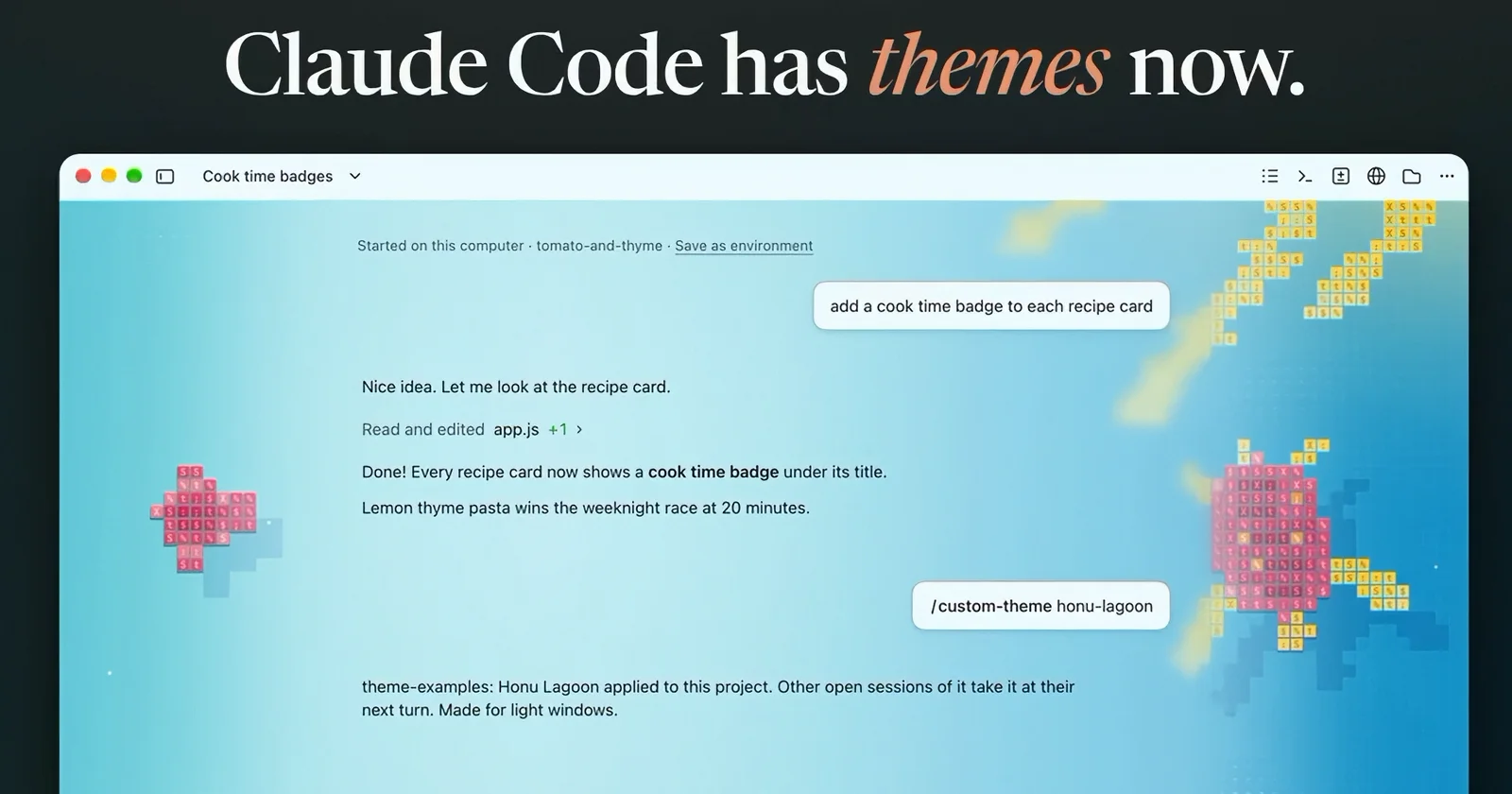
Claude Code themes come in two kinds now. In the terminal, a theme is a color scheme you pick with /theme. In the Code tab of the Claude desktop app, a theme can also put an animated scene behind your conversation, like a turtle swimming through a lagoon or snow falling on pine trees. Anthropic's @ClaudeDevs account announced the desktop version on November 13, 2026: “You can now build custom themes for Claude Code on desktop with mods! Change the colors, add an animated background, and make it your own.”
The fastest way to try one is Anthropic's theme-examples plugin, which its README describes as "twenty scenes to paint behind your Claude Code desktop window, light and dark." The list includes a lagoon seen from above, a night reef, a koi pond, halftone sunrises, pen-plotter tides, paper gardens, a departure board, and a starfield drawn in braille dots. Each scene is made for either a light or a dark window, and eight of them come in both versions. All of them move, and the motion stops if your computer is set to reduce motion.
Install it from Anthropic's official marketplace with /plugin install theme-examples@claude-plugins-official, then use /custom-theme:
/custom-themeshows a card with every theme and a preview button./custom-theme listnames all twenty./custom-theme honu-lagoonapplies a theme to the whole project, and addingsessionat the end applies it to just this session./custom-theme offclears it.
It also adds /fireworks, which sets off a short show over the theme. One goes off by itself whenever Claude says "merged," and /fireworks auto off turns that part off. The README says the plugin only watches Claude's replies for that one word and keeps none of the text.
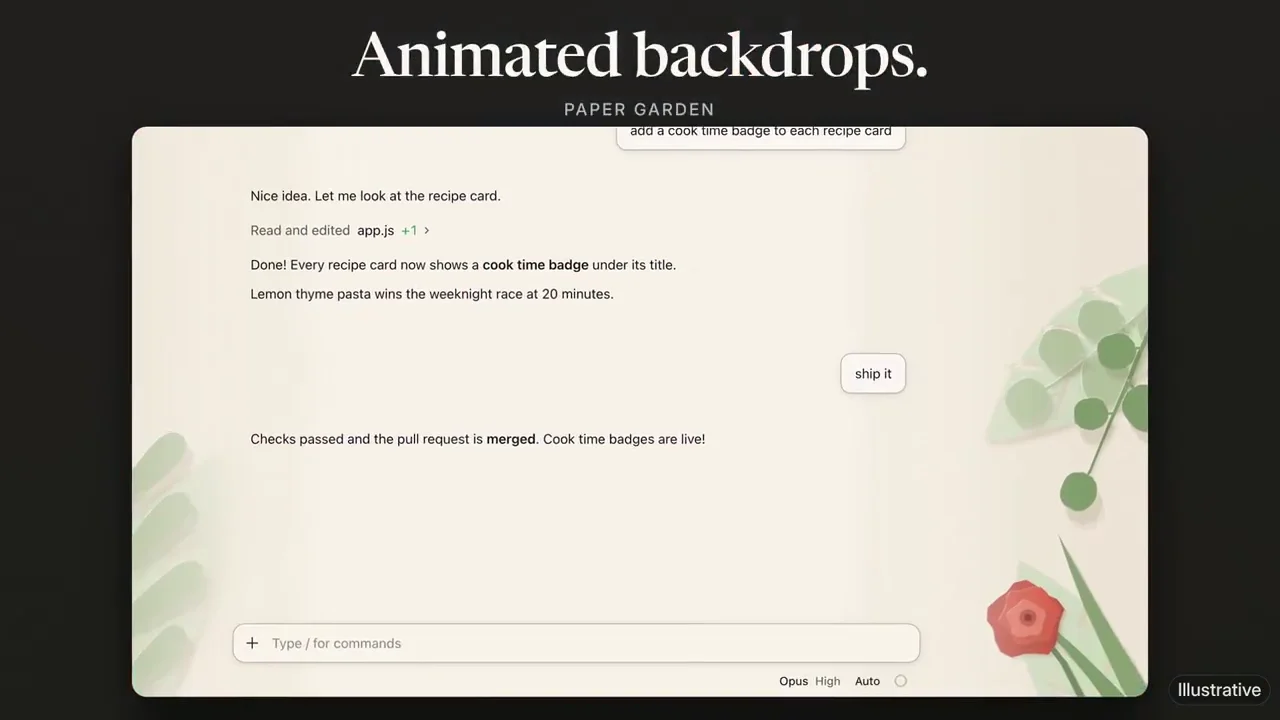
How desktop themes work
Under the hood, a desktop theme is a mod, a kind of plugin made of small JavaScript functions that run inside Claude Code and can change what it draws. The mods docs say one call sets both parts of a theme: the colors of the desktop app's Code tab and a backdrop behind the conversation. The terminal draws no backdrop and keeps its own colors, so this only changes the desktop and mobile apps.
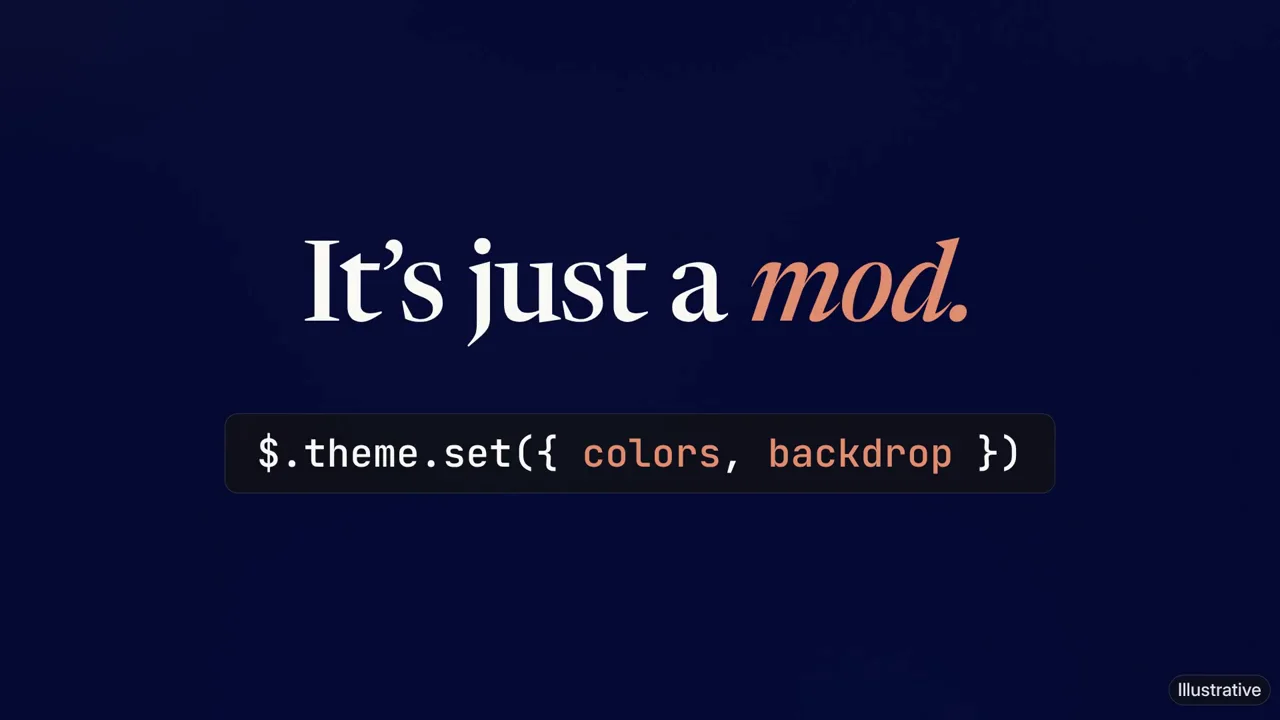
You don't have to write the code yourself. The docs suggest starting a local session in the Code tab and describing what you want, for example "make a mod that makes the app cream in light mode and dark brown in dark mode." Claude writes the mod's files, asks you to approve them, and the colors change when the mod loads. Anthropic's announcement video shows the same thing with a scene, where someone asks for a synthwave sunset with neon pink accents and the backdrop appears a moment later.
A few limits are worth knowing. Changing the colors needs Claude Code version 2.1.324 or later in the Code tab, which you can check by typing /status there. A session has one theme at a time, so a second theme mod replaces the first. The theme-examples README also says a desktop app has to support drawing a mod's backdrop. On a version that doesn't yet, the commands still work and say the window may not draw themes, and the theme you picked is saved for when it can.
The bigger caution applies to any mod. The overview says plainly that a mod is code that runs with your permissions and "can read and write your files, start processes, and make network requests." Anthropic's advice is to install mods only from authors and marketplaces you trust. A theme you got from Anthropic's own marketplace or asked Claude to write is one thing. A random theme from a stranger deserves the same suspicion as any other software.
If you live in the terminal instead, terminal themes are plain JSON. Run /theme and pick New custom theme at the bottom of the list, or save a file in ~/.claude/themes/ with a name, a base preset such as dark or light, and an overrides list of colors. Colors can be hex codes, rgb() values, or ANSI names, and a typo just gets ignored instead of breaking the display. Plugins can ship terminal themes too. Our desktop app vs CLI guide covers the other differences between the two, and this post explains why a longtime terminal user switched to the app.
Why your desktop theme might not be working properly
Desktop themes are a day old, and GitHub already has several open bug reports about them. As of November 14, 2026, all of them involve desktop app version 5.11492.5 running Claude Code 2.1.325. The mod gets no error back in any of them, so if you ask Claude to fix a theme that won't appear, it can spend a long time rewriting a mod that was never broken.
- Windows hides the scene. The app lays a frosted layer over the scene so the chat stays easy to read. If Windows Transparency effects is off, the app makes that layer solid, and it covers the whole scene while the new colors still show. A Windows user on GitHub traced the cause, and the fix is to turn on Settings > Personalization > Colors > Transparency effects. That's what finally made a braille starfield theme appear on a Windows 11 PC we tested. High-contrast modes set off the same rule.
- Scenes freeze. A Mac bug report says scenes show up as still pictures and their animation never plays, and a second Mac user says a test scene moved for a moment and then stopped. Our Windows starfield stayed still too, even though the same file twinkled in a web browser. One Mac user says scenes do move for them, so results vary. According to the same report, animation does play in the strip just above the prompt box.
- Picture backgrounds get rejected. Claude Code's mod types let a theme use a still image as its background. On both Windows and Mac, the app turns down JPEG and PNG files and shows its plain background instead, logging that the backdrop holds "a value outside ThemeGround." Gradient backgrounds draw fine.
- Some Macs draw nothing. A third report says scenes never appear on a Mac, not even a plain colored box. The Windows user who found the transparency fix thinks the Mac's Reduce transparency setting could explain it, but nobody has confirmed that.
One more warning. If Claude suggests faking the motion by swapping still frames on a timer, skip it. The Mac report says the whole window flashes on every redraw and calls it a seizure risk for people sensitive to flashing light. When we tried it on Windows, the window flickered between blank and the picture, and Claude Code slowed down. Until Anthropic ships a fix, a still scene or a gradient is the safer choice.
Sources
ClaudeDevs on X - November 13, 2026 announcement of custom desktop themes with mods, the theme-examples plugin, and the video the images and animations here come from.
Anthropic: theme-examples plugin README - Twenty light and dark animated scenes, the /custom-theme and /fireworks commands, reduced motion, what the plugin reads and stores, and app requirements.
Claude Code docs: Mods overview - What a mod is, where mods run, version requirements, and the warning that mods run with your permissions.
Claude Code docs: Draw in the interface with a mod - Backdrops and colors with $.theme.set, one theme per session, asking Claude for a colors mod, and version 2.1.324 for Code tab colors.
Claude Code docs: Terminal configuration - Built-in /theme presets and custom terminal themes in ~/.claude/themes/.
GitHub: anthropics/claude-code issue #109853 - Windows report of rejected image backgrounds and missing scenes, the Transparency effects cause and fix in the comments, and a Mac comment saying scenes animate there.
GitHub: anthropics/claude-code issue #109766 - Mac report that backdrop scenes draw as still pictures, the same animation playing above the prompt box, and window flashing from timer redraws.
GitHub: anthropics/claude-code issue #109844 - Mac report that backdrop scenes never appear while gradient backgrounds do.