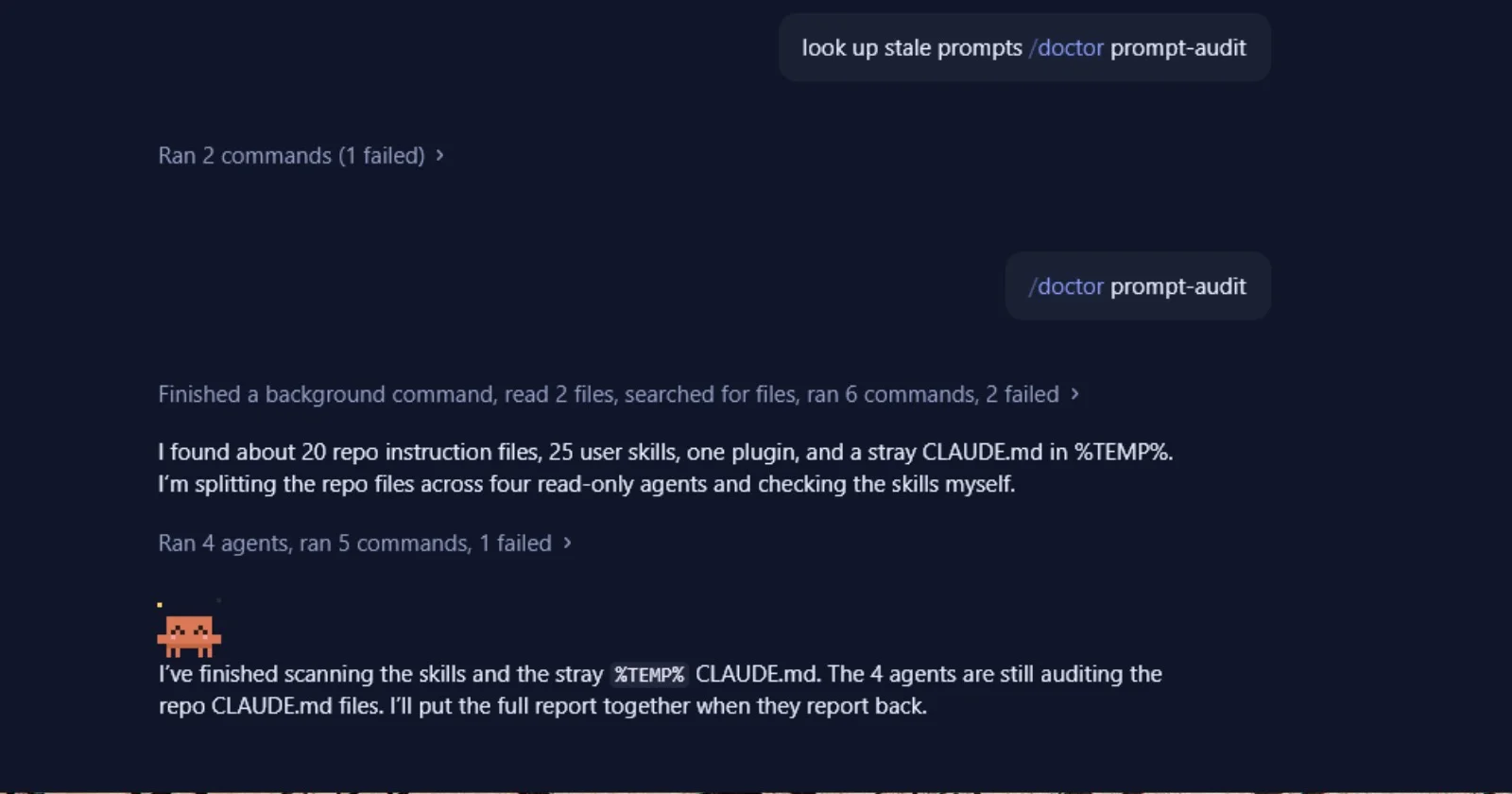
/doctor prompt-audit is a Claude Code command that reads your instruction files and points out lines that are out of date, wrong, or fighting with each other, then suggests edits. Nothing in your files changes until you tell Claude to apply them. Type /doctor prompt-audit at the Claude Code prompt to run it. It needs Claude Code version 2.1.283 or later.
It's a different job from plain /doctor. On its own, /doctor runs a setup checkup: leftover installs and PATH problems, skills and MCP servers that cost context without being used, permission settings, and on paid plans the changes /usage recommends to cut your plan usage. It also looks at CLAUDE.md, but for duplicates and size, flagging content Claude could figure out from your code and offering to move always-loaded guidance into files that load only when needed. Adding prompt-audit skips the checkup and audits what your instructions actually say. If you only want install diagnostics without starting a session, claude doctor in your terminal does that.
By default the audit covers your CLAUDE.md, CLAUDE.local.md, and AGENTS.md files, plus the rules, skills, commands, subagents, and output styles under .claude/ and ~/.claude/. To check one file or folder, pass its path, for example /doctor prompt-audit .claude/skills/deploy. Anthropic's memory docs say it runs through the bundled /claude-api skill, so it won't work if you've turned that skill off with skillOverrides or disableBundledSkills.
What it flags in an old CLAUDE.md
The docs list three kinds of problems: instructions written for older models, references to files or commands that no longer exist, and files that contradict each other. The audit guide that ships with the /claude-api skill spells out the patterns, and most long-lived CLAUDE.md files have a few of them.
The biggest one is shouting. Lines like "CRITICAL: You MUST use this tool when..." were added because older models ignored polite instructions. The guide says current models are highly responsive to their instructions, so all-caps rules now over-apply, and when everything is marked critical nothing is. It suggests plain wording, like "Use this tool when...". Hedges cut the other way. "Try to include a summary if possible" now reads as optional, so if you need a summary, say "Include a summary." Lines like "Be thorough. Do not be lazy. Do not stop early." usually get deleted, because current models are proactive by default.
It also catches fossils: workarounds for a model you stopped using months ago, "never use bullets" rules written against models that over-formatted, reminders your harness repeats every few turns, and rules phrased as changes, like "X now works differently," that only make sense to someone who saw the old version. Stale specifics get checked against your actual project, so a CLAUDE.md that tells Claude to run a script you deleted last spring gets flagged with high confidence. So does a skill that says one thing while CLAUDE.md says the opposite, since nothing tells Claude which one is current.
It isn't a length contest. The guide's keep list says context is never clutter: who the product is for, facts about your environment, your quality bar, and the reasons behind your rules all stay. Exact step-by-step scripts stay where only one sequence is safe, like destructive commands or login flows. Prohibitions stay when the failure they guard against still happens. In the guide's words, "an audit that finds nothing should change nothing."
How to use it without breaking anything
Commit your instruction files first so any edit is easy to undo. Then run /doctor prompt-audit and read the report. Each finding comes with its file and line number, the exact text, the pattern it matches, why it's out of date, a confidence level, and a proposed action such as remove, rewrite, move, or add. The proposed changes come as a diff with one finding per section, so you can accept some and skip others. Low-confidence findings show up in the report but stay out of the diff.
Apply the high-confidence fixes, then do a real task you know well and see whether Claude behaves the way you want. The guide treats every removal as something to test, not a sure thing, and if a cut makes things worse, it says to put back a short, plain version instead of the old wording. It also says to run the audit again whenever a new model comes out, since a line that mattered for one model can be clutter for the next.
For the size problem, pair it with the regular /doctor checkup. Anthropic's docs say CLAUDE.md files over 200 lines use more context and may be followed less closely, and the checkup proposes cutting what Claude can work out from the code itself, like directory layouts, dependency lists, and architecture overviews. Our post on the large CLAUDE.md warning covers that side, and if you're rewriting from scratch, start with how to write a great CLAUDE.md and our CLAUDE.md and auto memory guide. If you build on the Claude API, the same audit works on system prompts and tool descriptions through /claude-api prompt-audit.
Sources
Claude Code docs: Memory - What /doctor prompt-audit checks, the files it covers, auditing one path, the /claude-api dependency, the version requirement, and CLAUDE.md size guidance.
Claude Code docs: Skills - What the /doctor setup checkup covers, claude doctor in the terminal, and the /claude-api prompt-audit subcommand.
Claude Code docs: Commands - The /doctor [prompt-audit [path]] command, its /checkup alias, and the minimum version.