 Paul
Paul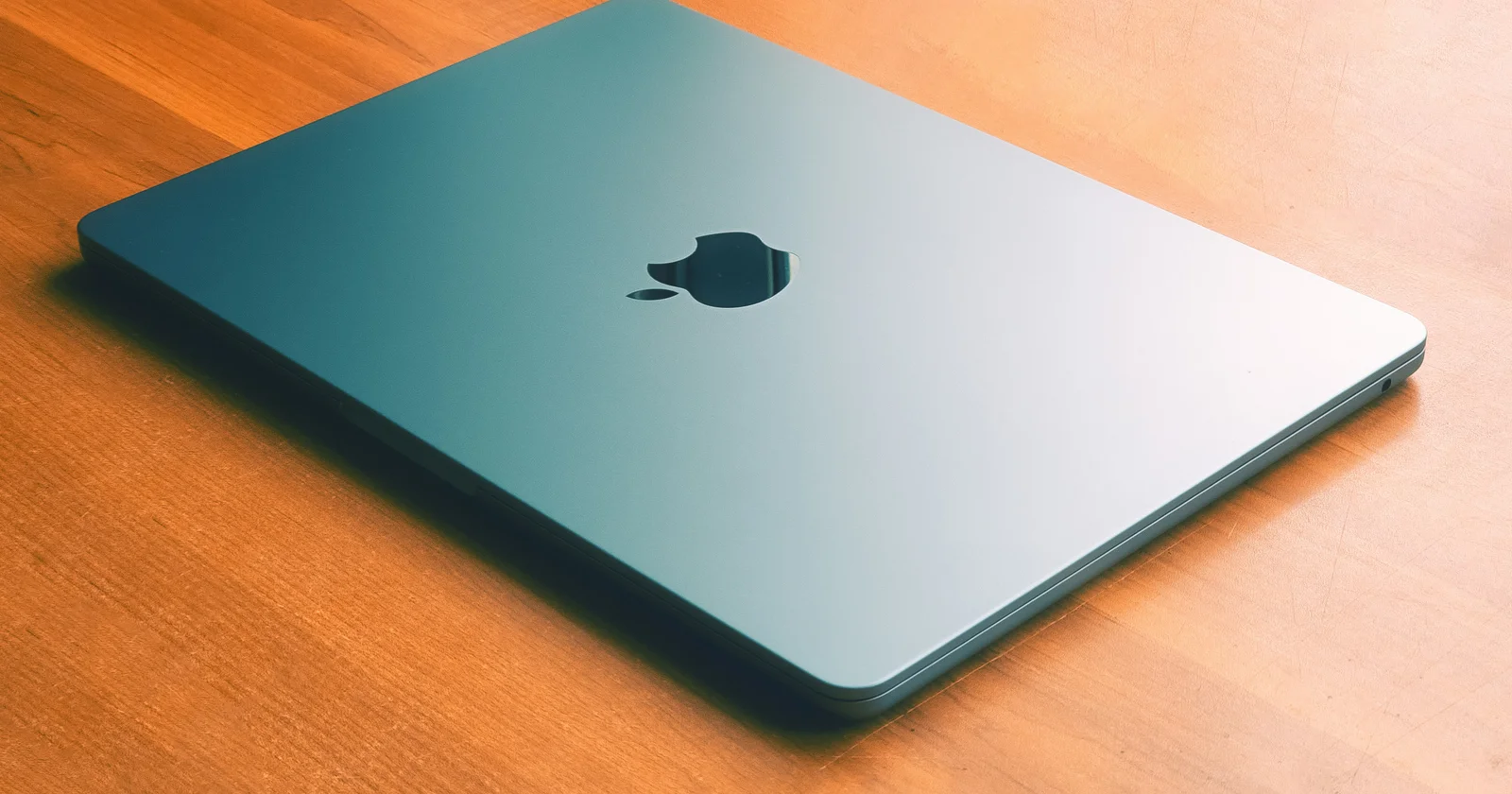
When I decided I needed a Mac for app development, mostly so I could work in Xcode and build for Apple platforms, my first instinct was to do what most people do and start pricing out a new machine. That instinct lasted about as long as it took to see the numbers, because a new MacBook Pro with the specs I actually wanted was well into territory that felt hard to justify for a machine that was going to be one tool among many rather than my primary daily driver. So I did what I do with most hardware decisions and looked at the used market instead, and I ended up with a deal that I think is worth writing about, because the logic applies to a lot of solo founders and developers who need a Mac without needing the newest one.
What I bought was a 16 inch MacBook Pro with the M1 Max chip, 32GB of memory, and a 1TB drive, and I paid a little over $1,000 for it on eBay. For context on why that's a good deal, a new machine with comparable specs costs multiple times that, and the M1 Max is still a really powerful chip that handles everything I throw at it without breaking a sweat. This post is about why that purchase made sense, what to actually look for if you're considering the same move, and the downsides that you should factor into the decision.
Why Used makes sense for a development machine
The core argument for buying used is that Mac hardware holds up unusually well over time, where a Mac from a few years ago is not meaningfully slower at most development tasks than a new one, because the bottleneck for most development work is rarely raw chip performance. The M1 Max was a flagship chip when it launched and it's still comfortably fast for compiling code, running Xcode, handling simulators, and doing the kind of work that app development actually involves. Buying new gets you a newer chip, but for a machine whose job is to run a development environment well, the newer chip is solving a problem that the older chip didn't really have.
The other part of the argument is that depreciation does most of the work for you. A MacBook Pro loses a significant chunk of its value in the first couple of years, not because the machine has gotten worse but because it's no longer the current model, and that depreciation is essentially a discount that the used buyer gets to claim. You're paying for the hardware at a price that reflects its age rather than its capability, and for a machine that's still highly capable, that gap between price and capability is exactly the value you're capturing.
For a solo founder specifically, the used route also fits the broader logic of being careful with capital. A development Mac is a tool, and tools should be bought at the price that gets the job done rather than the price that gets you the newest thing, because the money saved on a used machine is money that stays available for everything else a founder needs it for. Spending several thousand dollars on a new machine when a thousand-dollar used machine does the same job is the kind of decision that feels fine in isolation but adds up badly across all the decisions a founder makes.
Why 32GB of memory was the priority
The spec I cared about most when shopping was memory (RAM), and I specifically wanted at least 32GB, because memory is the resource that Xcode genuinely consumes and the resource you most regret being short on. Xcode is a heavy application, and once you factor in the simulators, the build processes, a browser with documentation open, and whatever else is running during real development work, memory pressure becomes the thing that slows a machine down and makes it feel sluggish. A machine with plenty of memory stays responsive under that load, and a machine that's short on memory starts swapping and stuttering in exactly the moments you most want it to be smooth.
Memory is also worth prioritizing right now for a reason that has nothing to do with Xcode, which is that memory has gotten genuinely expensive and harder to get. There's a worldwide shortage driving RAM prices up, fueled in large part by the enormous demand for memory from AI infrastructure, where the data centers building out AI capacity are consuming memory at a scale that affects pricing for everyone else. That shortage means memory is at a premium in a way it wasn't a couple of years ago, and a used machine that already has 32GB built in is locking in that memory at the price it was configured at originally, which is effectively a hedge against the current pricing environment.
The thing about memory on modern Macs is that it's not upgradeable, because Apple integrates it into the chip package, which means the memory configuration you buy is the memory configuration you have for the life of the machine. That makes getting the memory right at purchase time much more important than it would be on a machine where you could add more later, and it's why I treated 32GB as a hard requirement rather than a nice-to-have. Buying a used machine with 16GB to save a little money would have been a false economy, because the memory shortfall would have shown up in daily friction for as long as I owned the machine.
What to actually check when buying used
If you're going to buy a used MacBook Pro for development, there are specific things worth checking before you commit, because the used market has good deals and bad ones and the difference is in the details. The first thing to check is the battery health, which on a Mac you can see in the system settings, and which tells you how much capacity the battery has lost over its life. A battery in good health means the machine will hold a charge for real work, while a degraded battery means you're either tethered to power or facing a battery replacement cost that eats into the savings.
The second thing to check is the overall physical condition and whether the machine has any history of damage, where dents, screen issues, and signs of liquid exposure are all worth asking about directly. A machine that's been physically abused is a riskier buy than one that's been treated well, and a seller who's transparent about condition is a better bet than one who's vague. Photos matter here, and a listing with thorough honest photos is worth more trust than one with a single stock-looking image.
The third thing to verify is that the machine isn't tied to someone else's account or reported lost or stolen, because a Mac that's still linked to a previous owner's account or that has Activation Lock enabled is effectively a brick. Confirming the machine has been properly wiped and dissociated from the previous owner is essential, and it's a reasonable thing to ask a seller to confirm before you pay. Buying through a platform with buyer protection, which is part of why I went through eBay, gives you recourse if something turns out to be wrong after the fact. Another tip, if you're buying from eBay: DO NOT BUY FROM 0 FEEDBACK SELLERS. These prices are too good to be true and they're scammers. Buy from sellers who have a good history of reviews.
The fourth thing to think about is the seller themselves, where a seller with a long history of positive feedback is a meaningfully safer bet than a brand new account with no track record. The used hardware market rewards a little patience, and waiting for the right listing from a reputable seller is better than jumping on the first deal that looks good. The deal I got came from a seller with a solid history, and that history was part of what made me comfortable spending four figures on a machine I couldn't inspect in person.
The one real downside
Now, what's the actual drawback of buying used? There is one and it's worth factoring into the decision. When you buy an older machine, the clock on Apple's software and hardware support started earlier, which means a used machine will age out of support sooner than a new one bought today. Apple supports its machines for a number of years, but that support window is measured from when the machine was originally released and sold, not from when you personally bought it, so a used machine is further along that timeline than a new one.
In practical terms this means a few things. The machine will eventually stop receiving the newest macOS versions, it will eventually move into Apple's vintage and then obsolete categories which affects the availability of hardware repairs, and the window during which the machine is fully current is shorter than it would be for a new purchase. For a machine that's going to be a primary daily driver for many years, that shorter runway is a real consideration and might justify paying more for a new machine with a longer support horizon.
For my situation, the shorter support window is an acceptable tradeoff, because the machine is a development tool that I expect to use heavily for the next several years rather than the next decade, and several years of full support is plenty for getting my money's worth at the price I paid. The calculation might be different for someone buying their one and only computer that needs to last as long as possible, but for a solo founder buying a capable development machine at a steep discount, accepting a somewhat shorter support runway in exchange for paying a third of the price is a trade that makes sense.
The bottom line
The machine works well and it's fast, and in daily use it does not feel like a compromise, where Xcode runs smoothly, builds are quick, and the 32GB of memory keeps everything responsive even under the load of real development work. For a little over $1,000 I got a machine that would have cost multiple times that new, and the capability gap between my used M1 Max and a current machine is small enough that it doesn't affect my actual work.
The broader point for solo founders and developers is that the newest hardware is rarely the smartest purchase, because the used market lets you capture most of the capability at a fraction of the price, and the money saved is money that stays available for everything else. The keys are to prioritize the specs that actually matter for your workload, which for Xcode development means memory above almost everything else, to check the condition carefully before buying, and to go in clear-eyed about the shorter support window being the real cost of the discount. Do those things, and a used MacBook Pro is one of the best value purchases a developer can make right now, especially with memory prices being what they are.